
Understanding Image Rights (The Basics)
Copyright law in most of the world gives the creator of an image the exclusive rights to make copies, display an image publicly and/or use it in another piece of work. If someone else, like a website owner, wants to use an image, they need to get permission from the creator and possibly pay for a license to do so. Does this mean that for every image you want to use, you must track down its creator, ask for permission and even pay them to use it? No, thankfully! It will depend on the kind of license attached to the image. The creator of an image can decide to release the image with a license that allows specific uses, for example. So long as you stick within the rules of the license, you’re golden. Using an image in a way that does not conform with its license is considered copyright infringement. If you are lucky you may only get asked to stop using the image, but in the worst case scenario you could be sued. With that in mind, make sure you understand the terms of the licenses attached to images you want to use! Most image licenses look at the following conditions on the use of an image:- Type of use: Commercial or non-commercial use, with the first being any use of an image to sell or promote a product, service, or idea.
- Attribution: Credit may need to be given to the original creator of the image and required format (e.g. a link) specified.
- Modification: The image may have to be used unchanged, or you may allowed to modify it and create new images or materials from it.
- Number of uses: Some licenses may restrict the number of times an image can be used.
Common Online Image License Types
As you look around online for images for your website, you will find different types of licenses mentioned. Below are the most common types along with explanations as to what they mean for you, from the least to the most restrictive:Public Domain
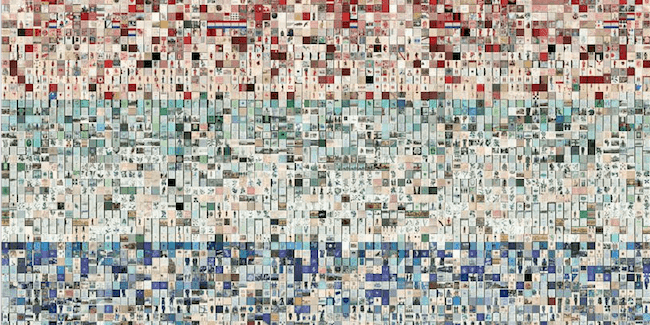
A small selection of NYPL public domain images
Creative Commons
 As you look for images for your website, you will come across images licensed under Creative Commons. This is a relatively new license type that was designed to help creators easily change the terms and conditions of their copyright and allow others to use their content under specific conditions.
All images licensed under Creative Commons can be copied and distributed for non-commercial purposes with some uses specified, and typically the original creator must be credited. Additionally, a Creative Commons license will indicate whether:
- Commercial use is allowed or not
- Derivative works are allowed or it must remain unchanged
- Sharing the new work (if allowed) must be done with the same license (called ShareAlike)
Royalty-Free
 Royalty-free images, despite having “free” in the name, are not available for free. It is a paid license, but the fee is not a usage fee paid every time an image is used. Instead, you pay one upfront fee and you can then use the image as many times as you need to without paying anything else. Some other license restrictions may apply to specific uses (e.g. print materials).
Shutterstock is an example of an image site that offers royalty-free images for download that can then be used forever.
Rights-Managed
 In contrast with royalty-free images, you may also encounter rights managed images. In this case, the license allows you to use an image, one time, as specified. For any other uses of the image, an additional license must be purchased. Often this license may be purchased for a set number of uses up front. If you want an image that no one else will ever be able to use (called an exclusive license), you will also be dealing with a rights-managed license.
Getty Images is one of the most well-known image sites, and they are very successful at selling rights-managed images.
Now that you understand the different image licenses you will encounter, let’s focus on images you can use for free, since most small businesses and their website owners have limited budgets.
How to Use Free Images
Both public domain and Creative Commons licensed images may be available for you to use for free, so what’s the difference? In a nutshell, public domain works are completely free for use with no restriction (in the relevant country), while Creative Commons licensed images may require you to credit the copyright owner or limit modification. If you are going to use free images you find online, be sure to follow these best practices:- Before using an image, check and understand the license type that applies to the image.
- Stick to using reputable sites, as they will be very clear about the terms of use, and as much as is possible will have had their users confirm the copyright before uploading the image.
- Obey the terms of the license. For example, don’t go making small changes hoping no one will notice if the license specified no modifications.
- Attribute clearly where required.
The Best Free Image Resources
As we mentioned at the start of this article, beautiful images are important for your website. We’ve previously shared tips on how to get the most out of the images you select for your blog. Once you understand how to choose images that will support your brand and encourage conversions, you still need to find them. There are lots of lists of websites where you can find free images. We gave you Twelve Places to Find Images for Your Website which included several free resources, as did the previous post we mentioned. This time we want to highlight the cream of the crop to get you started.Flickr
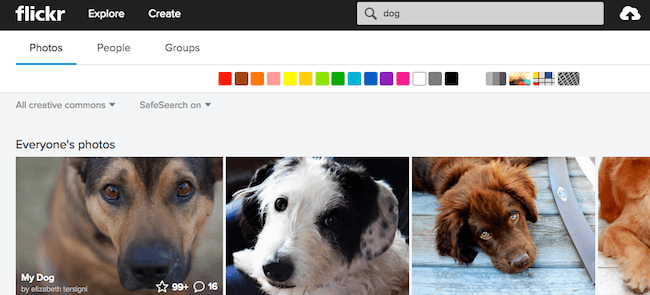
The Flickr search tool is very useful, with multiple filters available
Wikimedia Commons
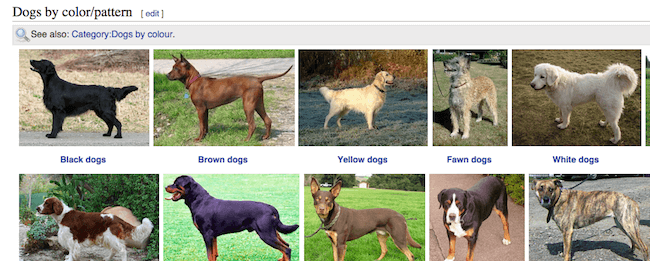
Wikimedia search returns useful categorized results
Pixabay
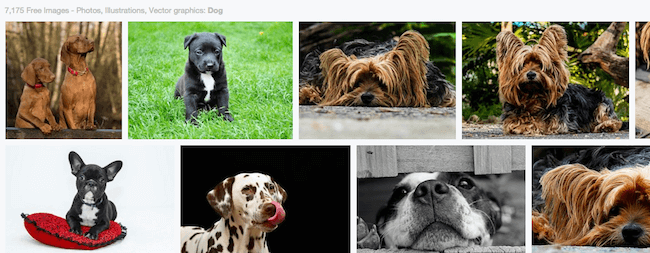
PIxabay has very high quality free images
Deviant Art
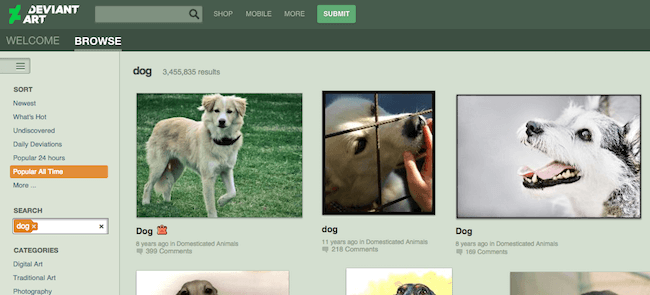
Deviant Art search does not enable you to easily look for Creative Commons images
The Best Image Search Plugins
You can use the sites we listed to find beautiful free images for your site, but then you still have to download the right size image, upload it to your WordPress site and add the correct attribution information where required. If you are doing this infrequently, it may not seem like a big deal, but the time taken for each image can quickly add up if you post regularly and want images in all your posts. The plugins we are going to look at below will help you search for free Creative Commons licensed images from right inside the WordPress editor. With just a few clicks you can insert the picture you choose and in most cases add a caption with the attribution automatically. For more information on how plugins like this work, you can check out our Quick Guide to Creative Commons Image Plugins for WordPress.Image Inject (Free)
 The first plugin on our list is the very popular ImageInject, formerly known as WP Inject. With over ten thousand active installs and a 4.8-star satisfaction rating, there is no doubt that this plugin has proved very helpful for many site owners. From the creator of CMS Commander, this plugin is very full featured and well supported.
After installing this plugin, you simply visit the WordPress editor and enter a keyword in the search box to search both Flickr and Pixabay for free images. Flickr has over 200 million Creative Commons images and Pixabay has over 150,000 high quality public domain photos, so you are sure to be able to find the image you’re looking for.
With just a couple of clicks you can insert one picture or several as a gallery into your post, or add a featured image. The images are automatically saved to your server and added to the WordPress media library. If attribution is required, a caption is added with the correct information and a link, and both the alt and title tags of the image are added to help with SEO.
A fantastic feature offered by this plugin is the ability to search for different keywords and compare the results, instead of having to repeat a previous search to go back and find that perfect image.
More image sources are being planned for integration which will help keep this plugin at the top of our list. The creator has put a lot of focus on SEO with this plugin and has made sure it works well with Yoast SEO, the top SEO plugin.
This plugin is a great choice if you want an easy way to search for and insert free images into your pages and posts – especially if you want to ensure that your images are optimized for search.
Pixabay Images (Free)
 As we mentioned before, Pixabay is a great source for free images that require no attribution. The Pixabay Images plugin searches the Pixabay database for public domain pictures and helps you to insert them with just a click. With over 8,000 active installs and a 4.5-star rating, this plugin is holding its own despite only accessing a single image source.
Unlike ImageInject, Pixabay adds a button to the WordPress editor so that searching for and adding pictures functions much like the standard WordPress Media Library. The search screen enables you to filter the results by image type (clipart or photos) and orientation (horizontal or vertical).
As you would expect, the image previews are shown in paginated search results. Hovering over an image gives a popup with the available image sizes linked. Selecting an image uploads it directly to your server and adds it to the WordPress Media Library, where you have the standard media settings for editing and inserting images. As the images are public domain, no attribution is required, though you could always add that information to the caption if you wished.
This plugin is a great choice if you want to stick to public domain images. If you do have special size or orientation requirements for your photos, this plugin will make it easy to find the perfect image.
Unsplash WP (Free)
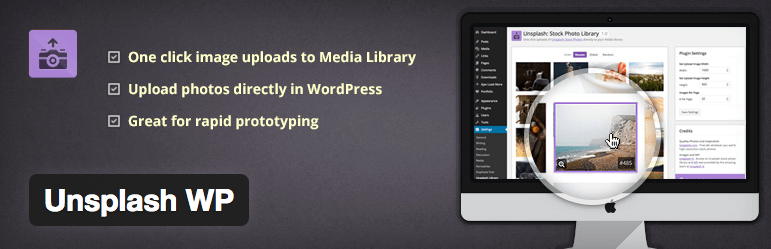 The final plugin on our list is still very new, with only about eight hundred active installs. Early reviews have been very positive however, giving it an average 5-star satisfaction rating. Unsplash has fast become a popular resource for free images and so the Unsplash WP plugin is a welcome addition to this field.
Like Pixabay Images, this plugin adds a button to the WordPress editor. Clicking it launches a popup window featuring the Unsplash photo library. Because Unsplash is a curated photo library, it has a much smaller selection, but the images are proven to be beautiful and very popular. Selecting a photo uploads it from unsplash.com directly to the WordPress Media Library.
The plugin also includes an alternative interface with a plugin page featuring the same photo library. From this screen you can edit the default settings for the size of the photos to be uploaded and select photos to add to posts.
Unsplash WP is an excellent choice if you want to stick with the photos from Unsplash. It works very well if you need photos and real world imagery for rapid development and prototyping. For ongoing use in blogging, however, you may find the selection limiting.